
Breathing Style Maker
A name gives a breathing style with forms, a blade and a mark; drawn strokes cut as water, flame or thunder.
Draw sword strokes on the canvas, up to six: each cuts in turn as the chosen element. Type a name for a style with its forms, a blade and a mark.
How is Breathing Style Maker working for you?
About Breathing Style Maker
- Elements
- Water, flame, thunder, wind, flower, mist, moon, sun, insect and ice
- Style
- A style name, 6 to 10 numbered forms, a blade color and a mark from a name
- Strokes
- Up to six drawn strokes, kept in the share link, that cut in turn
- Export
- GIF, video, transparent GIF, green screen, sprite sheet, PNG, character card, mark, stencil
- Status
- Unofficial fan tool; every name and shape is original
The breathing style generator makes an original sword style in the manner of Demon Slayer: type a name and pick an element, and it names the style and six to ten numbered forms and gives it a blade color and a mark. The names come from word lists written for this tool, never from the show; press New names for another set.
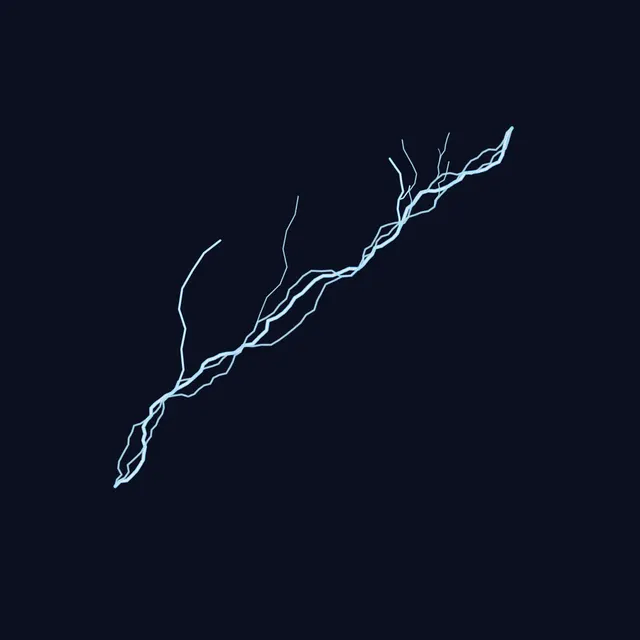
Draw sword strokes on the canvas, up to six, or start from a stroke set: an arc, a wave, a cross, rising cuts, a spiral, a ring or a zigzag. Each stroke cuts in turn as the chosen element: water as an ukiyo-e ribbon with curling crests, flame and sun as fire, thunder as branching lightning, wind as swirling streaks, flowers as drifting petals, mist as fog, the moon as crescents, insects as butterflies and ice as shards. Set the width, speed, ink outlines and colors.
Export the slash as a GIF, a video, a transparent GIF, a green-screen video or a sprite sheet; the loop starts and ends on an empty frame. Save a still PNG, a phone wallpaper, a character card (1080 by 1350) with the style, forms, slash, mark and blade, or the mark alone as a transparent PNG or a tattoo stencil. Every shape is drawn from scratch; this is an unofficial fan tool.
How to use Breathing Style Maker
- Name the style. Type a name under Your style and set how many Forms; press New names for another style.
- Pick an element. Tap Water, Flame, Thunder, Wind, Flower, Mist, Moon, Sun, Insect or Ice.
- Draw the strokes. Drag on the canvas to draw sword strokes (up to six), or pick a Stroke set. Clear strokes starts over; Replay cuts them again.
- Style it. Set Width, Speed and Ink outlines, the Main, Light and Deep colors, the Blade and Mark colors and the Background.
- Export. Open Export for a PNG, the Slash as GIF, Video, Transparent GIF, Green screen or Sprite sheet, the Character card, the Mark or a Tattoo stencil of it.
Frequently asked questions
How do I make my own breathing style?
Type a name and pick an element: the tool names a style and its forms from the name, so the same name always gives the same style. Press New names for a different one, then draw strokes and export the character card.
Are the form names from the anime?
No. They are put together from word lists written for this tool, and any combination that happens to match a name from the show is skipped, so they can be used for an original character.
How do I make a breathing style GIF?
Draw strokes or pick a Stroke set, then open Export and choose GIF under Slash. The strokes cut one after another, hold and fade, and the GIF loops from an empty frame; choose Green screen or Transparent GIF for video editors.
Can I make a mark tattoo?
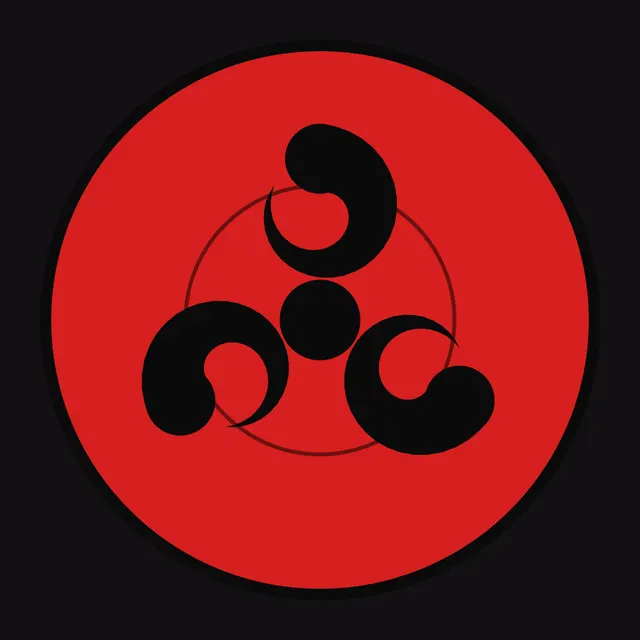
Yes. Each style comes with a mark drawn from brush strokes shaped by its element. Open Export and save it as a transparent PNG under More formats, or pick a width under Tattoo stencil for a black-on-white 300 DPI PNG or a print.
Is this an official Demon Slayer tool?
No. It is a free, unofficial fan tool for making original characters. Every stroke, mark and blade is drawn from scratch by the browser, and the style and form names are original.