
Chidori & Lightning Maker
Chidori-style lightning as a ball, a blade along a path, a strike or a slash, exported as transparent GIFs.
Sphere: drag to move the ball of lightning. Blade and Slash: draw paths for the bolts to follow. Strike: tap where lightning should hit. Export a transparent GIF or a green-screen video.
How is Chidori & Lightning Maker working for you?
About Chidori & Lightning Maker
- Modes
- Sphere, Blade (along drawn paths), Strike (from the sky), Slash (with an afterimage)
- Presets
- Chidori, Raikiri, Purple Chidori-style, Black Flash-style, Lightning blade, Thunder Breathing-style, Red lightning, Kirin-style strike
- Bolts
- Midpoint displacement with branches, re-drawn up to 4 times a second
- Export
- Transparent PNG, avatars, wallpapers, video, GIF, green screen, transparent GIF, sprite sheet
- Status
- Unofficial fan tool; every bolt is drawn from scratch
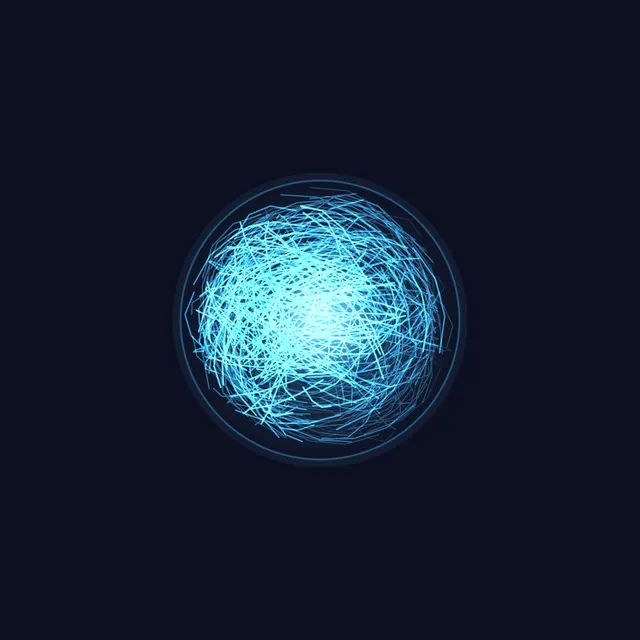
The lightning maker draws anime-style electricity. In Sphere mode a ball of lightning throws bolts in every direction or streams them one way, like a Chidori held in the hand. Blade mode wraps bolts around paths you draw for a lightning sword or spear, Strike mode sends a branching bolt down from the sky to wherever you tap, and Slash mode runs a zigzag of lightning along your path with an afterimage, in the style of Thunder Breathing.
Start from Chidori, Raikiri, Purple Chidori-style, Black Flash-style (black bolts with a red glow), Lightning blade, Thunder Breathing-style, Red lightning or Kirin-style strike, then change the number of bolts, jaggedness, branches, thickness, glow, sparks, colors and redraw rate. Every bolt is grown by midpoint displacement from a seed, and the redraws repeat exactly once per loop, so loops are seamless.
Export a PNG with a transparent background, round avatars, phone and desktop wallpapers, or the loop as video and GIF. The loop also exports as a green-screen video, a transparent GIF or a sprite sheet for video editors and games. Every bolt is drawn from scratch; this is an unofficial fan tool.
How to use Chidori & Lightning Maker
- Pick a preset. Tap Chidori, Raikiri, Black Flash-style, Thunder Breathing-style, Kirin-style strike or another preset.
- Choose a mode. Set Mode to Sphere, Blade, Strike or Slash. In Sphere, drag the ball; in Strike, tap where the bolt should land; in Blade and Slash, draw up to three paths and use Clear paths to start over.
- Shape the bolts. Change Bolts, Jaggedness, Branches and Thickness, and in Sphere mode Ball size, Bolt length, Spread and Direction.
- Color it. Pick the Glow color and Core color, turn on Black bolts for dark lightning, and set Glow, Sparks and Background.
- Export. Open Export for a transparent PNG, avatars or wallpapers, or the Loop as Video, GIF, Green screen, Transparent GIF or Sprite sheet.
Frequently asked questions
How do I make a transparent lightning GIF?
Open Export and choose Transparent GIF under Loop. GIF pixels are either clear or solid, so the softest edge of the glow is trimmed; for the full glow, export Green screen and key out the green in a video editor.
Can I put a Chidori in a video?
Yes. Pick a preset, press Export and choose Green screen under Loop for a video on pure green that keys out in CapCut, Premiere, DaVinci Resolve and other editors. The loop repeats seamlessly, so it can run as long as the shot.
How do I make a lightning sword or a Thunder Breathing slash?
Set Mode to Blade and draw along the blade for bolts that cling to it, or to Slash and draw a zigzag for a dash of lightning with an afterimage. Up to three paths are kept, and they are saved in the share link.
What is the Black Flash-style preset?
It draws black bolts with a red glow around a dark core, using the Black bolts option. Any color works with it.
Does the strike flash the screen?
No. A strike draws its bolt, which then fades; nothing lights the whole frame. Bolts take a new shape at most 4 times a second, set by Redraw rate, and visitors whose system asks for reduced motion start paused.
Is this an official Naruto tool?
No. It is a free, unofficial fan tool. Names such as Chidori describe a style, and every bolt is generated from scratch in the browser.